A small business SEO checklist is a structured set of proven steps that helps your website rank higher in search results, attract more customers, and build lasting online visibility. Search engine optimisation, the industry term for this practice, covers everything from technical site health to local listings and content quality. Following a clear checklist matters more than ever in 2026, because Google’s ranking signals now include E-E-A-T standards (Expertise, Authoritativeness, and Trustworthiness), Core Web Vitals, and AI-driven indexing. This guide gives you a practical, step-by-step framework you can act on today, whether you run a local shop in Blackpool or a service business anywhere across the UK.
What does a small business SEO checklist cover?
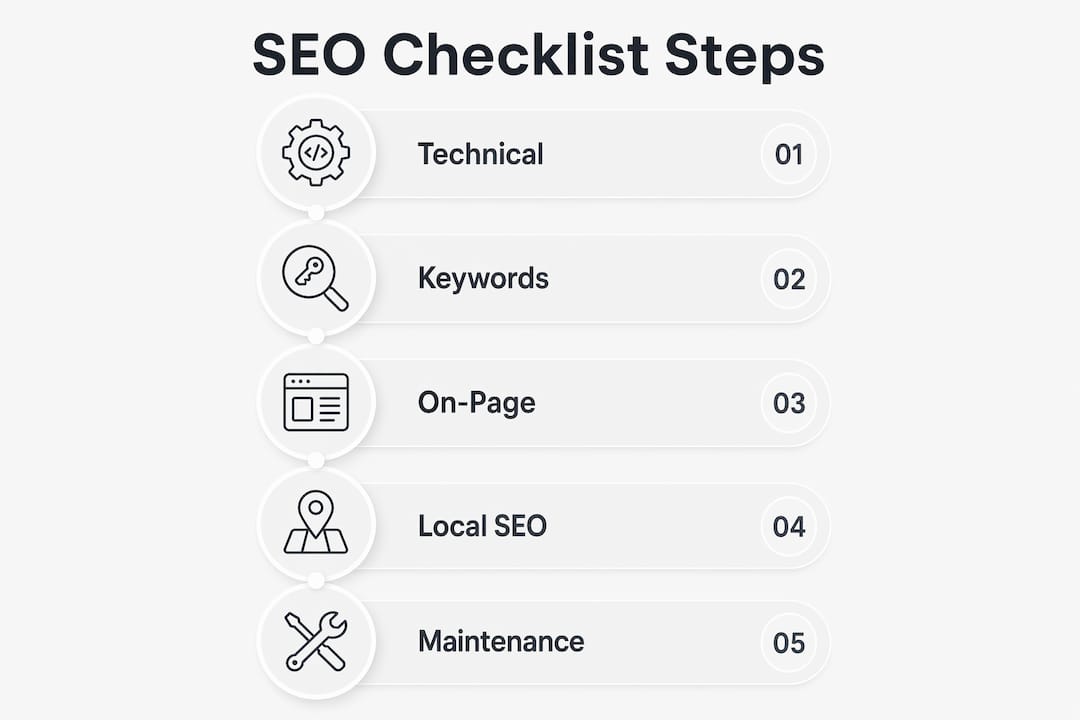
A complete SEO checklist for small businesses addresses five core areas: technical performance, keyword research, on-page content, local SEO, and ongoing maintenance. Each area builds on the last. A fast, well-structured website makes your content easier to index. Targeted keywords make your content relevant. Strong on-page elements make it readable and rankable. Local SEO puts you in front of nearby customers. Regular audits keep everything working as search standards evolve.
Before you start, you need access to two free tools: Google Search Console and Google PageSpeed Insights. Both are free and give you the data you need to make decisions. You should also have a Google Business Profile claimed and ready to optimise. These are your three non-negotiable starting points.

How to assess and improve your website’s technical SEO
Technical SEO is the foundation of everything else. If Google cannot crawl and index your site efficiently, your content and keywords will not perform, regardless of their quality.
Google’s Core Web Vitals set the benchmark for technical performance. The three key metrics are:
- LCP (Largest Contentful Paint): your main content should load in under 2.5 seconds
- FID (First Input Delay): your page should respond to user interaction in under 100 milliseconds
- CLS (Cumulative Layout Shift): your page layout should not shift unexpectedly, scoring below 0.1
Sites loading under 2 seconds are significantly more likely to be indexed and referenced by AI-driven search features. That gap in performance directly affects how often your business appears in search results.
Run your site through Google PageSpeed Insights and Google Search Console to identify specific issues. Common fixes include compressing images, enabling browser caching, removing unused scripts, submitting an XML sitemap, fixing broken links, and confirming your site runs on HTTPS. Each fix is small on its own, but together they create a site that search engines trust.
Pro Tip: Prioritise mobile speed above all else. AI-powered search engines increasingly favour mobile-first experiences, and a slow mobile site will cost you rankings even if your desktop version performs well.
How do you find the right keywords for your small business?
Keyword research is the process of identifying the exact words and phrases your potential customers type into search engines. For small businesses, the goal is not to rank for broad, competitive terms. The goal is to rank for specific phrases that signal buying intent.
Targeting long-tail keywords with clear buying intent outperforms chasing high-volume generic terms. A plumber in Preston ranks far more easily for “emergency boiler repair Preston” than for “plumber.” The first phrase attracts someone ready to book. The second attracts everyone.
Practical methods for finding the right keywords include:
- Reviewing your Google Search Console query data to see what searches already bring visitors to your site
- Using Google’s autocomplete and “People Also Ask” boxes to find real questions customers ask
- Going through your customer service emails and enquiries to extract the exact language buyers use
- Using free tools such as Google Keyword Planner or Ubersuggest to check search volumes
Customer service queries as keyword data is one of the most underused methods in small business SEO. Your inbox contains the precise language your customers use, which is exactly what they type into Google.
Pro Tip: Review your keyword performance in Google Search Console every month. Drop keywords that bring traffic but no enquiries, and double down on those that convert.
How to optimise on-page elements and content for better rankings
On-page SEO covers every element on a single page that influences how Google understands and ranks it. Getting these elements right is not complicated, but it requires attention to detail on every page you publish.
Work through this checklist for each page on your site:
- Title tag: include your primary keyword near the start, keep it under 60 characters, and make it descriptive
- Meta description: write a clear, compelling summary of 150–160 characters that encourages clicks
- H1 heading: use your primary keyword once, naturally, in the main page heading
- Subheadings (H2, H3): structure content with question-based headings that mirror what customers search for
- Image alt text: describe every image accurately and include relevant keywords where natural
- Internal links: connect related pages on your site to help Google understand your content structure
- Content length and format: match the format of the top-ranking pages for your target keyword
Structuring content with question-based headings and concise answers directly improves your chances of appearing in AI-powered search extractions and featured snippets. Google’s systems are built to surface direct answers, so write content that provides them.
Matching search intent by studying the format of top-ranking results outperforms aggressive backlink building for small businesses. If the top results for your keyword are all short how-to guides, publish a short how-to guide. If they are detailed comparison pages, match that depth.
Internal linking is one of the most underrated tactics available to small businesses. Linking between your own pages builds topic authority and helps Google crawl your site more thoroughly.
Pro Tip: Treat on-page SEO as a repeatable checklist, not a one-off task. Every new page you publish should go through the same seven-point process above before it goes live.
How does local SEO help small businesses get found?
Local SEO is the practice of optimising your online presence to attract customers in a specific geographic area. For most small businesses, local search is where the majority of new customers come from.
Google Business Profile optimisation is the single fastest way to appear in local search results and Google Maps. A complete, accurate profile significantly increases your visibility to nearby customers.
Follow these steps to optimise your Google Business Profile:
- Claim and verify your profile at business.google.com
- Enter your business name, address, and phone number exactly as they appear on your website
- Select the most specific and accurate primary category for your business
- Add at least ten high-quality photos of your premises, products, or team
- Write a clear, keyword-rich business description
- Enable messaging and keep your opening hours accurate and up to date
Beyond your Google Business Profile, build consistency across local directories. Your NAP (Name, Address, Phone number) must be identical on every platform, including Yell, Bing Places, Apple Maps, and any industry-specific directories. Inconsistencies confuse search engines and reduce your local ranking.
Customer reviews are a direct local ranking factor. Ask satisfied customers to leave a Google review after every positive interaction. Respond to every review, positive or negative, to show Google and potential customers that your business is active and engaged.
“Near me” searches have grown substantially and continue to rise. Appearing in the local map pack for searches like “accountant near me” or “café in Blackpool” puts your business in front of customers at the exact moment they are ready to buy. A well-optimised local SEO strategy is the most direct path to that visibility.
Why does ongoing SEO maintenance matter?
SEO takes at least 6 months to show significant results and requires consistent effort to build momentum. This is not a weakness of SEO. It is how cumulative authority works. Each improvement compounds over time.
Set up a monthly maintenance routine that covers:
- Checking Google Search Console for crawl errors, manual actions, and new keyword opportunities
- Running a technical audit using Google PageSpeed Insights to catch new performance issues
- Reviewing which pages are gaining or losing traffic and updating content accordingly
- Building local citations and earning mentions from relevant local websites or press
- Checking that all internal links still work and point to the correct pages
Avoid two common SEO myths. The first is that publishing more content always helps. Publishing thin, low-quality content at high frequency does more harm than good. The second is that backlinks alone drive rankings. Visibility on platforms beyond Google, including YouTube and Amazon, complements your main SEO effort and captures customers who search elsewhere.
Pro Tip: Use a simple spreadsheet to track your top 10 target keywords each month. Record your ranking position, traffic, and enquiries. This single habit will show you exactly where to focus your next round of improvements.
Key takeaways
A structured SEO checklist is the most reliable way for small businesses to build search visibility, attract local customers, and grow enquiries without relying on paid advertising.
| Point | Details |
|---|---|
| Technical foundation first | Fix Core Web Vitals, HTTPS, and mobile speed before focusing on content or keywords. |
| Target buying-intent keywords | Use long-tail phrases and customer service language to find keywords that convert, not just attract traffic. |
| Optimise every on-page element | Apply a consistent checklist to title tags, headings, alt text, and internal links on every page. |
| Google Business Profile is non-negotiable | A complete, accurate profile is the fastest route to local search visibility and map pack rankings. |
| SEO requires consistent maintenance | Monthly audits and keyword tracking compound your results over time. Expect meaningful progress after 6 months. |
What I have learned from working through SEO checklists with small businesses
The most common mistake I see is small business owners treating SEO as a one-time project. They spend a week updating their site, then leave it untouched for a year and wonder why nothing changed. SEO is closer to tending a garden than painting a wall. You have to keep at it.
The second pattern I notice is an obsession with backlinks. Business owners read that links matter and immediately start chasing them, often from irrelevant directories or low-quality sites. In my experience, fixing technical issues and matching search intent delivers faster, more durable results than any link-building campaign for a site that is not yet technically sound.
Local SEO is where I see the biggest missed opportunity. A well-optimised Google Business Profile, combined with consistent NAP data across directories and a steady flow of genuine customer reviews, can move a small business from invisible to prominent in local results within weeks. That is faster than almost any other SEO tactic.
The rise of AI in search has changed the game in one specific way: structure matters more than ever. AI-driven search engines favour clean HTML, fast load times, and question-and-answer formatted content. If your site is slow, cluttered, or hard to read, AI systems will simply pass it over. That is a solvable problem, and solving it is where I would start every time.
My honest advice: pick three items from this checklist, complete them properly, then move to the next three. Methodical execution beats scattered effort every time.
— tibor
How Fyldedigital helps small businesses put SEO into practice
Knowing what to do and having the time and expertise to do it are two different things. Fyldedigital works with small businesses across the Fylde Coast and beyond to implement exactly the steps covered in this guide, from technical site audits and on-page SEO improvements to local SEO campaigns and conversion-focused web design.

Whether your site needs a full rebuild or a targeted SEO push, Fyldedigital offers a free SEO review to identify your biggest opportunities. Our web design and SEO services are built around the practical needs of small business owners who want real results, not jargon. Get in touch to find out where your site stands and what it would take to move it forward.
FAQ
What is a small business SEO checklist?
A small business SEO checklist is a structured list of tasks covering technical performance, keyword research, on-page content, local SEO, and ongoing maintenance. Working through it systematically improves your website’s visibility in search results.
How long does SEO take to work for a small business?
SEO takes at least 6 months to show significant results, as rankings build cumulatively through consistent improvements and content quality. Expect steady progress rather than overnight changes.
What is the most important local SEO step?
Claiming and fully optimising your Google Business Profile is the single most impactful local SEO step. Accurate NAP details, photos, categories, and regular customer reviews all contribute to higher local rankings.
Do small businesses need to do keyword research?
Keyword research is one of the most valuable steps in any small business SEO guide. Targeting long-tail, buying-intent phrases rather than broad terms gives smaller sites a realistic chance of ranking and attracting customers who are ready to buy.
How often should I audit my small business website for SEO?
A monthly check of Google Search Console and PageSpeed Insights is the minimum. A full technical and content audit every three to six months keeps your site aligned with current search standards and catches issues before they affect rankings.