A website audit is a systematic, data-driven assessment of your site’s health across technical SEO, content quality, security, user experience, and conversion effectiveness. Think of it as the digital equivalent of an MOT for your business. Industry guidance recommends running one every six months to stay competitive and catch issues before they cost you traffic or customers. For small and medium-sized business owners, understanding what a website audit covers is the first step to making your site work harder for you.
What does a website audit actually examine?
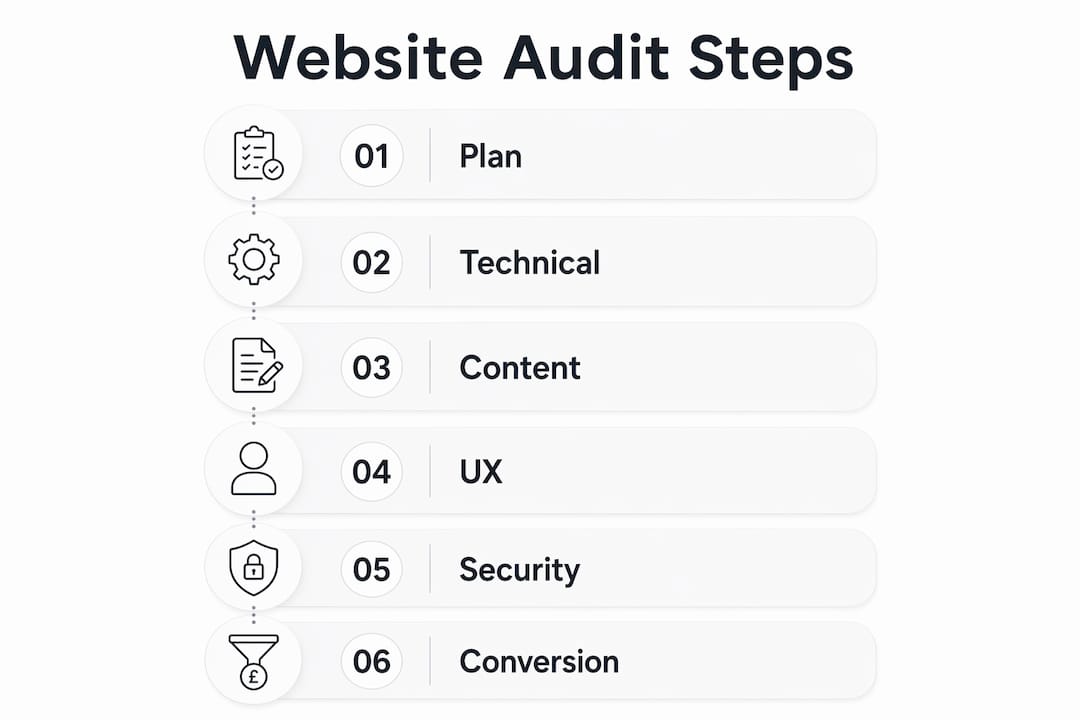
A website audit is not a single check. It is a structured review across five distinct areas, each of which affects how your site performs for both visitors and search engines.
Technical SEO
Technical audits identify errors such as broken links, improper redirects, and site structure problems that block search engines from crawling and indexing your pages. If Google cannot read your site properly, your rankings suffer regardless of how good your content is. A technical SEO review covers crawlability, indexability, page speed, and URL structure.

Content quality
Content audits evaluate accuracy, helpfulness, and adherence to E-E-A-T principles: Experience, Expertise, Authoritativeness, and Trustworthiness. Google uses E-E-A-T as a core ranking signal, which means thin or outdated content directly harms your visibility. Every page on your site should serve a clear purpose and answer a real question your customers are asking.
User experience
UX and conversion audits examine user flows and identify friction points that cause visitors to hesitate or leave without taking action. Poor navigation, slow load times, and confusing layouts all reduce the number of enquiries your site generates. Improving website UX often produces faster results than any other single change.
Security
Security audits check SSL certificates, software patching, plugin risks, admin access strength, and malware vulnerabilities. A site without a valid SSL certificate displays a “Not Secure” warning in browsers. That warning alone is enough to make a potential customer click away.
Conversion effectiveness
Conversion audits review your calls to action, contact forms, and the paths visitors take from landing on your site to making an enquiry. Small changes, such as repositioning a button or simplifying a form, can meaningfully increase the number of leads your site produces. Fyldedigital’s conversion rate optimisation work consistently shows that usability fixes deliver measurable gains.
Pro Tip: Do not treat these five areas as separate tasks. A broken redirect can hurt both your technical SEO score and your user experience at the same time. Fix issues in order of combined impact.
How is a website audit conducted step by step?
Understanding the process helps you contribute to an audit meaningfully, whether you are running one yourself or working with a professional. A combined approach of automated tools and manual review uncovers both technical and experiential issues that neither method catches alone.
-
Define your goals. Decide what you want the audit to achieve. Are you trying to improve search rankings, reduce bounce rates, or increase enquiries? Your goal determines which areas to prioritise.
-
Choose your audit type. A full site audit covers all five areas. A focused audit targets one area, such as technical SEO or content quality. Most SMB owners benefit from a full audit at least once a year.
-
Run automated tools. Use diagnostic tools to gather data on page speed, broken links, crawl errors, security issues, and SEO performance. Free tools such as Google Search Console and Google PageSpeed Insights provide a solid baseline. Paid platforms offer deeper analysis across larger sites.
-
Conduct a manual review. Automated tools miss context. Read your key pages as a customer would. Check whether your content is clear, your calls to action are visible, and your navigation makes sense on a mobile device.
-
Analyse the results. Group issues by category and severity. Not every problem carries equal weight. A missing meta description matters less than a page that returns a 404 error for every visitor.
-
Prioritise and act. Create a prioritised list of fixes ranked by impact and effort. Address critical technical errors first, then content gaps, then UX improvements. Use a website SEO audit checklist to track progress and avoid missing steps.
The process is not a one-off event. Each audit produces a baseline you can measure against the next time, which is how you track genuine improvement over time.
Why are website audits important for small and medium businesses?
Regular website audits benefit SMBs by enhancing SEO rankings, user experience, conversion rates, and security. Consistent audits uncover hidden issues and enable prioritised improvements aligned to business goals. That is the practical case for making audits a routine part of running your business online.
Here is what a well-executed audit delivers in concrete terms:
- Better search rankings. Fixing crawl errors, improving page speed, and resolving duplicate content issues all send positive signals to Google. Higher rankings mean more organic traffic without paying for ads.
- Fewer lost customers. Accessibility barriers and mobile performance problems drive visitors away silently. You never see them leave, but you do see the drop in enquiries. Addressing web accessibility standards removes barriers that affect a significant portion of your audience.
- More conversions. Usability fixes and clearer calls to action turn more of your existing traffic into paying customers. You do not need more visitors if you convert a higher percentage of the ones you already have.
- Stronger customer trust. A secure site with a valid SSL certificate and no malware tells customers their data is safe. Poor security undermines trust and risks data breaches that can damage your reputation permanently.
- Competitive awareness. Your competitors are updating their sites. Regular audits keep your site current and prevent you from falling behind on performance benchmarks that customers now expect as standard.
“A website audit goes beyond SEO to include accessibility, performance on various devices, and security. Sites can rank well but still have accessibility or performance issues that harm user experience.” — The Complete Guide to Website Audits
The businesses that treat audits as routine maintenance consistently outperform those that only fix problems after they notice a drop in traffic.
What tools can SMB owners use for a website audit?
Tools range from free website graders to paid SEO and security scanners, making accessible audits achievable for businesses at any budget level. The right combination depends on your site’s size and the depth of analysis you need.
- Google Search Console is free and shows you exactly which pages Google has indexed, which have errors, and which search queries are driving traffic. Every SMB owner should have this set up before running any other tool.
- Google PageSpeed Insights analyses your page load speed on both desktop and mobile, and gives you specific recommendations to fix performance issues.
- Screaming Frog SEO Spider crawls your site and surfaces broken links, redirect chains, missing meta tags, and duplicate content. The free version handles up to 500 URLs, which covers most small business sites.
- Browser developer tools built into Chrome and Firefox let you inspect individual pages for accessibility issues, layout problems on different screen sizes, and slow-loading resources.
- Structured checklists and templates help you work through each audit area methodically. A digital marketing audit guide gives SMBs a broader framework that connects website performance to overall marketing effectiveness.
Pro Tip: Start with Google Search Console and PageSpeed Insights before investing in paid tools. They surface the most common and highest-impact issues for free, and fixing those first makes paid analysis more efficient.
When your site is large, technically complex, or when audit findings are unclear, a professional audit from a specialist agency saves time and reduces the risk of misinterpreting data. Automated tools tell you what is wrong. An experienced team tells you why it matters and what to do about it.
Key takeaways
A website audit is the most direct way to identify what is holding your site back from generating more traffic, enquiries, and revenue.
| Point | Details |
|---|---|
| Audit every six months | Industry guidance recommends bi-annual audits to maintain competitiveness and catch issues early. |
| Cover all five areas | Technical SEO, content, UX, security, and conversion must all be reviewed for a complete picture. |
| Combine tools with manual review | Automated tools find technical errors; manual review catches content and usability problems tools miss. |
| Prioritise by impact | Fix critical technical errors first, then address content gaps and UX improvements in order of business impact. |
| Treat it as ongoing maintenance | A single audit is a snapshot. Regular audits build a baseline that shows real improvement over time. |
Why I think most SMBs are auditing the wrong thing
The most common mistake I see is business owners treating a website audit as a purely SEO exercise. They run a tool, get a score, fix the red flags, and consider the job done. The score goes up. The enquiries do not.
A holistic audit covers accessibility, device performance, and security, not just rankings. I have reviewed sites that rank on page one for their target keywords but lose customers because the contact form does not work on mobile, or because the site takes eight seconds to load on a 4G connection. Those are not SEO problems. They are business problems that an SEO-only audit will never surface.
The other mistake is treating audit findings as a to-do list rather than a decision-making tool. Every fix costs time or money. The question is not “what is wrong?” but “what is wrong and what does fixing it actually mean for our revenue?” Prioritising by business impact rather than technical severity is what separates a useful audit from an expensive report that sits in a folder.
My advice is straightforward. Run a full audit, not a partial one. Measure the right outcomes, not just the technical scores. And build auditing into your calendar the same way you would a quarterly accounts review. Your website is often the first salesperson a potential customer meets. It deserves the same attention you give the rest of your business.
— tibor
How Fyldedigital helps SMBs get more from their websites
Fyldedigital works with small and medium-sized businesses across Blackpool and the Fylde Coast to identify and fix the issues that hold websites back.

Whether your site has a technical problem you cannot diagnose, content that is not converting visitors into enquiries, or a design that no longer reflects your business, Fyldedigital’s team combines expert auditing with practical web design to produce real improvements. The process starts with a thorough review of your site’s current performance, followed by a clear plan of prioritised recommendations. If you want to know exactly where your site stands, request a free website review from Fyldedigital’s web design team in Blackpool and get a clear picture of what needs to change.
FAQ
What is a website audit in simple terms?
A website audit is a structured review of your site’s technical health, content quality, security, and user experience. It identifies problems and opportunities that affect your search rankings and the number of enquiries your site generates.
How often should I conduct a website audit?
Industry guidance recommends auditing every six months to stay competitive and address issues before they compound. High-traffic or frequently updated sites benefit from quarterly reviews.
What should I look for in a website audit?
A thorough audit covers crawl errors, page speed, mobile performance, content accuracy, E-E-A-T signals, SSL security, accessibility barriers, and conversion friction points. Addressing all five areas gives you a complete picture of your site’s health.
Can I conduct a website audit myself?
Yes, using free tools such as Google Search Console and Google PageSpeed Insights covers the most common issues. For a deeper or more technical review, a professional agency provides analysis and recommendations that go beyond what automated tools surface.
How long does a website audit take?
A basic automated audit takes a few hours. A full manual audit of a small business site typically takes one to three days, depending on the number of pages and the depth of analysis required.