Running a small or medium-sized business means wearing a lot of hats. You are writing content one minute, scheduling social posts the next, and somewhere in between you are trying to track whether any of it is actually working. When your digital marketing tasks are scattered across tools, team members, and to-do lists with no clear order, time disappears and results suffer. A structured digital marketing workflow changes that. It turns a chaotic collection of tasks into a repeatable, measurable process that your whole team can follow, even if that team is just you.
Table of Contents
- Why a digital marketing workflow matters
- What you need before you start: tools, team roles, and content planning
- Step-by-step: building your digital marketing workflow
- Troubleshooting and common workflow pitfalls
- How to measure success and adapt your workflow
- Our perspective: why simpler workflows beat complex systems every time
- Need help streamlining your workflow?
- Frequently asked questions
Key Takeaways
| Point | Details |
|---|---|
| Workflows cut confusion | A clear process means less stress and fewer mistakes in your marketing efforts. |
| Right tools boost productivity | Choosing integrated, user-friendly tools streamlines teamwork and saves time. |
| Review for long-term success | Regularly measuring and adapting your workflow ensures it always supports your goals. |
| Simplicity leads to action | The best workflow is one your team will actually use, not just the one with the most features. |
Why a digital marketing workflow matters
A digital marketing workflow is a defined sequence of steps that takes a marketing idea from planning through to publication and review. It assigns ownership, sets timelines, and ensures nothing slips through the gaps. Think of it as the engine behind your marketing activity rather than the marketing itself.
Without a workflow, common problems quickly emerge:
- Lost time from repeatedly deciding what to do next instead of just doing it
- Inconsistent messaging when different team members produce content without a shared brief
- Wasted spend on paid campaigns that launch without proper approvals or tracking in place
- Missed deadlines that erode trust internally and reduce your visibility externally
- No accountability because it is unclear who owns which task
These are not small inconveniences. For an SMB with limited resources, even one poorly managed campaign can eat up budget that could have driven real leads. Understanding essential marketing terms early on helps you speak the language of workflow design, which makes the whole process easier to implement.
“Digital calendars and automation ensure coordination across small teams, with tools like Pipedrive or Buffer for scheduling and execution—giving SMBs the structure they need to compete without the overhead of large marketing departments.”
When you follow consistent social media management best practices, for instance, you start to see how structure in just one channel compounds into broader marketing confidence. Clarity, accountability, and measurable results are the three core rewards of a well-built workflow, and they are available to businesses of any size.
Now that you know why an organised workflow is essential, let us look at what is required to set one up.
What you need before you start: tools, team roles, and content planning
Before you map out your workflow, you need the right foundations. That means knowing who is responsible for what, which tools you will use, and how your content will be planned.
Core team roles (even in a micro team where one person fills all of them):
- Content creator: Writes copy, sources images, and produces video or graphics
- Designer: Creates branded visuals and ensures consistency across formats
- Scheduler or publisher: Queues content across platforms and manages timing
- Analyst or reviewer: Checks performance and feeds insights back into planning
In a small business, one person often handles all four roles. That is absolutely fine, but you still need to think in these lanes so each responsibility gets the attention it deserves.

Tools comparison: free vs paid options
| Function | Free option | Paid option |
|---|---|---|
| Content calendar | Google Sheets / Trello | Asana, Monday.com |
| Social scheduling | Buffer (free tier) | Buffer Pro, Hootsuite |
| Email marketing | Mailchimp (free tier) | Mailchimp Standard, ActiveCampaign |
| CRM and pipeline | HubSpot (free CRM) | Pipedrive, Salesforce |
| Analytics | Google Analytics 4 | SEMrush, Databox |
| Design | Canva (free tier) | Canva Pro, Adobe Express |
Understanding core digital marketing concepts before you commit to tools will save you money. It is easy to subscribe to six platforms and use three of them inconsistently. A simple content calendar in Google Sheets paired with one scheduling tool like Buffer is often enough to get started.
The content calendar is not optional. It is where your strategy becomes tangible. It maps out what you are publishing, on which channel, and when, so you are never scrambling at the last minute. For deeper guidance on choosing platforms, exploring social media tools specific to small businesses will give you practical, up-to-date options.
Pro Tip: Keep your tool stack to three or four integrated platforms. Every additional tool is another login, another interface, and another source of friction. Integration reduces switching, and less switching means more time actually marketing.
With your tools and team lined up, it is time to map the workflow itself.
Step-by-step: building your digital marketing workflow
A reliable marketing workflow follows five clear phases. Each phase feeds into the next, and skipping any one of them creates problems downstream.
-
Planning. Define your campaign goal, target audience, key message, and success metrics before you produce a single piece of content. Ask: what do we want this activity to achieve, and how will we know if it worked?
-
Production. Create all assets needed for the campaign. Copy, images, video, and any paid ad creative should all be produced and reviewed before scheduling begins. Batch your production where possible. Writing three weeks of social posts in one session is far more efficient than writing them daily.
-
Review and approval. Every piece of content should pass through at least one review stage. Even a solo business owner benefits from reviewing content a day after writing it. Errors in tone, factual mistakes, or off-brand language are much easier to spot with fresh eyes.
-
Scheduling and publishing. Once approved, content is loaded into your scheduling tool and queued. Creating efficient posting workflows at this stage means specifying exact dates, times, and platforms so nothing goes out by accident or in the wrong format.
-
Measuring and reviewing. After a campaign goes live, track the metrics you defined in step one. Review results at a set interval, such as weekly or monthly, and document what you learn for the next cycle.
Manual vs automated workflows: a quick comparison
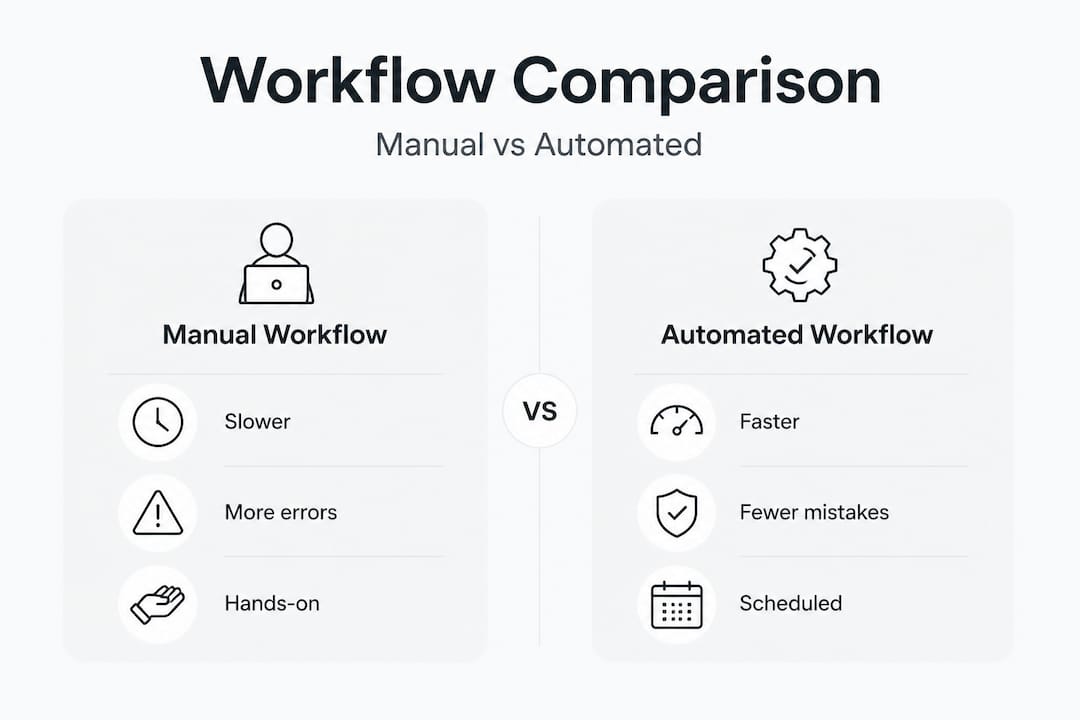
| Factor | Manual workflow | Automated workflow |
|---|---|---|
| Speed | Slower, dependent on availability | Faster, tasks trigger automatically |
| Error risk | Higher, prone to human oversight | Lower, fewer repeated manual inputs |
| Scalability | Limited by team capacity | Scales without proportional effort |
| Cost | Low upfront, high in time | Some tool cost, saves time long-term |
| Flexibility | Easy to adjust on the fly | Requires setup changes for adjustments |
As scheduling and automation tools become more accessible for SMBs, moving even part of your workflow from manual to automated can dramatically reduce errors and free up time for strategic thinking.
Pro Tip: Set clear deadlines for every phase, even if you are a team of one. A self-imposed deadline for content approval by Wednesday means publishing on Thursday is never a scramble.
You have defined your workflow, but mistakes are common. Here are the pitfalls to avoid.
Troubleshooting and common workflow pitfalls
Even the best-designed workflow breaks down without regular maintenance. Recognising the warning signs early saves you from larger disruptions later.
Top workflow mistakes SMBs make:
- Skipping the planning phase and going straight to production, which leads to content that lacks direction or a clear call to action
- Tool overload, subscribing to multiple platforms that do similar things and creating confusion about which is the source of truth
- Missing review cycles, allowing errors or off-brand messaging to go live because no approval stage was built into the process
- No assigned ownership, so tasks sit in a shared list with no one actively responsible for completing them
- Ignoring the measurement phase, treating each campaign as finished once it is published rather than learning from the data
If your workflow keeps stalling at the same point, that is a bottleneck worth addressing directly. Common culprits include waiting on design assets, slow approval chains, or content being briefed too late for the production timeline to work.
“Automation helps, but review is vital. Do not let technology replace human judgement when it comes to brand voice, accuracy, and audience appropriateness.”
For businesses weighing whether to manage this in-house or bring in support, the decision often comes down to capacity. Exploring the pros and cons of in-house versus agency marketing can help clarify which model suits your current resources and growth plans.
Quick corrective actions for common problems:
- Bottleneck on design: Create a small library of on-brand templates in Canva that anyone can populate with copy, reducing dependency on one designer
- Late content briefs: Move your planning phase one full week earlier in your calendar cycle
- Approval delays: Set a 24-hour turnaround rule for feedback, with a default of approved if no response is received
With common errors addressed, here is how to tell your workflow is working and what you should expect.
How to measure success and adapt your workflow
A workflow is not something you set up once and forget. It needs regular review, just like your marketing campaigns themselves. Measuring the right things tells you whether your process is efficient and whether your marketing is delivering results.
Core metrics to track:
- Leads generated from each campaign or content piece
- Conversion rate, the percentage of leads that become paying customers
- Engagement rate across social platforms, including likes, comments, shares, and saves
- Campaign deadlines met, a simple but telling operational metric
- Email open and click-through rates for any newsletter or nurture activity
- Organic traffic growth from SEO-driven content
Free tools for tracking include Google Analytics 4 for website traffic and behaviour, Google Search Console for organic performance, and the native analytics built into platforms like Facebook, Instagram, and LinkedIn.
For paid activity, integrating your ad platform data into a simple dashboard reduces the time spent pulling reports manually. Coordination tools for SMBs like Pipedrive offer reporting that connects marketing activity to actual pipeline value, which is particularly useful if you want to see the full journey from first click to closed sale.
Monthly workflow review checklist:
- Did all campaigns go live on time?
- Were there any repeated errors or approval issues?
- Which content type performed best, and can you produce more of it?
- Are your current tools still serving you, or is one creating friction?
- Has your audience or strategy shifted in a way that requires a process change?
Pairing your workflow reviews with improvements to your website experience strengthens overall results. If campaigns are driving traffic but visitors are not converting, improving website UX may be the missing piece that turns a good workflow into a great one.
Our perspective: why simpler workflows beat complex systems every time
There is a persistent myth in digital marketing that more tools, more automations, and more complexity equals better results. We see it regularly with SMB clients who arrive with six platforms, conflicting data, and no clear process. The technology is impressive. The results are not.
What actually works is repeatability. A workflow that your team can follow without looking at a manual is worth ten sophisticated systems that require a specialist to maintain. The businesses we see achieving consistent growth are not the ones chasing every new app or feature. They are the ones who defined a simple process, stuck to it, and reviewed it honestly every month.
The most common insight from working with clients across a range of sectors is this: the bottleneck is almost never the technology. It is the absence of a clear brief, a missed approval step, or a campaign that went live before the landing page was ready. None of those are tool problems. They are process problems.
If you are just starting out, pick two or three tools, assign ownership of each workflow phase even if that is just you, and commit to a content calendar. Start with one channel done well rather than five channels done inconsistently. Build the habit before you build the complexity.
Approaching effective digital marketing for small business with this mindset shifts the focus from what is trending to what is sustainable. And sustainability in marketing always wins over novelty in the long run. Focus on the basics, execute them reliably, and the results will follow.
Need help streamlining your workflow?
Building a solid digital marketing workflow takes time, particularly if you are managing campaigns, content, and platforms on your own.

If you want to accelerate your results without adding more to your plate, Fylde Digital is here to help. We offer professional social media workflow help and full-service digital marketing support designed around how SMBs actually operate. Whether you need a website that converts visitors into enquiries or a social media strategy that runs like clockwork, our team can deliver it. Explore our web design Blackpool services or get in touch to request a free review of your current digital presence and find out exactly where improvement will have the biggest impact.
Frequently asked questions
What is the first step in creating a digital marketing workflow?
Start by setting clear business objectives and listing all the marketing activities you need to reach them. Without defined goals, every subsequent step lacks direction, regardless of the tools or platforms you use.
Which tools are best for automating tasks in a marketing workflow?
Top tools for SMBs include digital calendars, Buffer for scheduling, and Pipedrive for process automation and pipeline tracking. Starting with a free tier on each allows you to test fit before committing to paid plans.
How can I tell if my workflow needs improvement?
Watch for bottlenecks, missed deadlines, or repeated errors across campaigns. These are reliable signals that a specific phase of your workflow needs restructuring rather than just more effort.
Is a digital marketing workflow only relevant for large companies?
No, even a one-person business benefits significantly from a defined marketing workflow. It provides order, reduces decision fatigue, and saves time by removing the need to reinvent your process with every campaign.
How often should I update my digital marketing workflow?
Review and adjust your workflow monthly, or immediately whenever you add a new channel, tactic, or team member. A workflow that does not evolve with your business quickly becomes a constraint rather than an asset.
Recommended
- Home – Fylde Digital – Web Design SEO Social Media
- How to Do Social Media Management Well – Fylde Digital – Web Design SEO Social Media
- About – Digital Agency
- How to Get Social Media Management Clients – Fylde Digital – Web Design SEO Social Media
- Workflow d’engagement LinkedIn : boostez votre prospection