Website optimisation is the process of improving your site’s speed, usability, and search engine visibility to drive more traffic, generate more leads, and convert more visitors into customers. For small to medium-sized businesses, this is not a luxury. It is the difference between a website that works as your best salesperson and one that quietly loses you business every day. Tools like Google Search Console, DebugBear, and Contentsquare give you the data to act with precision rather than guesswork. This guide walks you through every stage, from setting up your baseline to fixing the issues that hold most SMB sites back.
What do you need before you start optimising your website?
Before you change a single line of code or rewrite a page, you need a clear picture of where your site stands today. Jumping straight into fixes without baseline data is one of the most common mistakes business owners make. You end up spending time on changes that have little measurable impact.
Start by gathering the right tools and access:
- Google Search Console shows you which pages Google can crawl and index, which keywords drive clicks, and where technical errors exist. If you have not verified your site here, do it before anything else.
- DebugBear or Google Lighthouse measure page speed and Core Web Vitals, giving you a scored breakdown of what is slowing your site down.
- Google Analytics 4 reveals how users behave once they arrive, including bounce rates, session duration, and conversion paths.
- A crawl tool such as Screaming Frog lets you audit your entire site for broken links, duplicate content, and redirect chains in one pass.
- Heatmap and session recording tools like Hotjar or Microsoft Clarity show you exactly where users click, scroll, and drop off.
Beyond tools, check three prerequisites before you begin. First, confirm you have admin access to your website’s CMS, hosting account, and DNS settings. Second, verify your site is mobile-friendly using Google’s Mobile-Friendly Test. Third, check that your robots.txt file is not accidentally blocking search engines from crawling key pages. This happens more often than you might expect, particularly on sites migrated from development environments.
Pro Tip: Run a Lighthouse audit on your three most important pages before making any changes. Save the scores as your benchmark. Every improvement you make should be measured against these numbers, not against a generic industry average.

How to improve website speed and technical performance
Site speed is not just a user experience concern. It directly affects your search rankings and your conversion rate. Improving server response time and reducing render-blocking resources are among the highest-impact changes you can make, and they are often overlooked in favour of surface-level tweaks like minifying CSS files.
Follow these steps in order of impact:
- Fix redirect chains. Every redirect adds a round trip to the server before the browser can begin loading the page. Updating links to final URLs removes this latency for both HTML and dependent resource downloads. A chain of three redirects can add hundreds of milliseconds to load time.
- Reduce server response time. If your server takes longer than 200 milliseconds to respond, investigate your hosting plan, database queries, and server-side caching. Upgrading from shared hosting to a VPS or managed WordPress host often produces the single biggest speed gain.
- Optimise your images. Resizing images to display dimensions, converting them to WebP or AVIF format, and setting fetch priorities for above-the-fold images reduces page weight significantly. A 2MB hero image served as WebP can drop to under 300KB with no visible quality loss.
- Minify and compress HTML, CSS, and JavaScript. Most modern CMS platforms handle this with a plugin, but confirm it is active and working. Combine this with Gzip or Brotli compression at the server level.
- Use a Content Delivery Network (CDN). A CDN like Cloudflare serves your static assets from servers closest to each visitor, cutting load times for users outside your immediate geography.
- Defer non-critical JavaScript. Scripts that are not needed for the initial page render should load after the main content. This directly improves your Largest Contentful Paint score, one of Google’s Core Web Vitals metrics.
- Place critical content early in your HTML. Googlebot fetches only the first 2MB per URL. If your most important content is buried deep in the code, it may never be indexed.
| Optimisation task | Typical impact | Difficulty |
|---|---|---|
| Fix redirect chains | High | Low |
| Compress and convert images | High | Low |
| Reduce server response time | Very high | Medium |
| Defer non-critical JavaScript | Medium | Medium |
| Implement a CDN | Medium | Low |
Pro Tip: Site speed gains mostly come from backend improvements and smart resource loading, not generic minification alone. Use a waterfall chart in DebugBear or Chrome DevTools to identify your actual bottleneck before deciding what to fix.
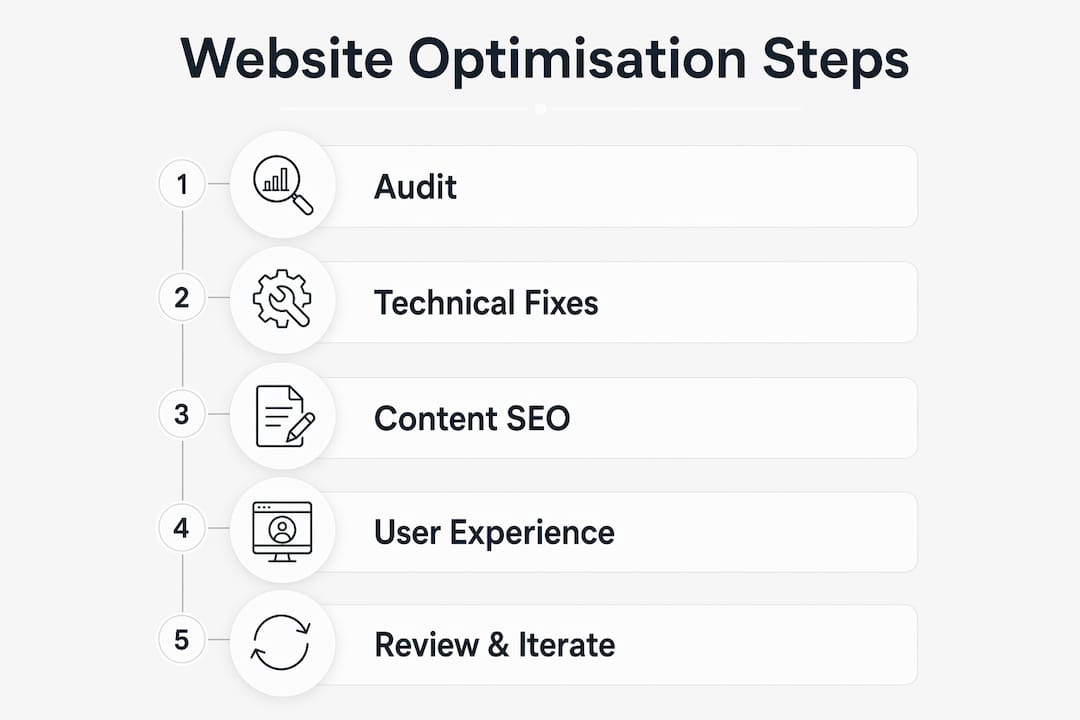
How to optimise website content for SEO and engagement
Content optimisation is where many SMBs leave significant ranking potential on the table. The goal is not to produce more content. It is to produce content that is genuinely useful, clearly structured, and aligned with what your audience is actually searching for.
Google’s guidance is direct: creating non-commodity, useful content and maintaining a sound technical structure are the foundations of sustainable SEO. This means writing pages that answer specific questions your customers have, rather than publishing generic service descriptions that could belong to any business in your sector.
Practical steps to improve your content:
- Target user intent, not just keywords. A page targeting “emergency plumber Blackpool” should answer the question immediately, include your service area, and make it easy to call or enquire. Keyword density is far less important than relevance and clarity.
- Use clear heading hierarchies. H1 for the page title, H2 for main sections, H3 for subsections. Search engines use this structure to understand your page. So do users scanning for the answer they need.
- Consolidate thin and duplicate pages. Fewer, high-quality pages that fully address a topic outperform a large volume of shallow pages. If you have five similar service pages with little unique content, merge them into one authoritative page.
- Add structured data where relevant. Schema markup for local businesses, reviews, FAQs, and products helps search engines display richer results and can improve click-through rates without changing your rankings directly.
- Optimise images for SEO. Every image should have a descriptive alt tag, a relevant file name, and a compressed file size. These details are small individually but add up across a full site.
For a deeper look at how content and technical structure work together, Fyldedigital’s guide to SEO best practices covers the full picture for businesses focused on organic growth.
How to enhance user experience across all devices
A fast, well-optimised page that confuses or frustrates visitors still fails. Technical SEO improvements are only effective when paired with a user experience that makes it easy for people to find what they need and take action.
The most impactful UX improvements for SMBs tend to fall into these areas:
- Mobile responsiveness. More than half of web traffic now comes from mobile devices. Your site must load quickly, display correctly, and allow easy navigation on screens of all sizes. Test on real devices, not just browser emulators.
- Navigation clarity. Menus should be simple and logical. If a visitor cannot find your contact page or main service within two clicks, you are losing enquiries. Reduce the number of menu items and use clear, descriptive labels.
- Calls to action. Every page should have one clear next step. Whether that is a phone number, a contact form, or a booking button, make it visible without scrolling on both desktop and mobile.
- Fix broken links and errors. A 404 error on a key page damages both user trust and SEO. Run a monthly crawl to catch and fix these before they accumulate.
- Minimise layout shifts. Cumulative Layout Shift, one of Google’s Core Web Vitals, measures how much the page moves around as it loads. Reserve space for images and ads in your CSS to prevent elements jumping as the page renders.
Understanding user behaviour through heatmaps and journey analysis is the fastest way to identify where visitors are dropping off. If your analytics show a high exit rate on a specific page, a heatmap will often reveal exactly why.
Pro Tip: Use Fyldedigital’s free website conversion review to get an expert assessment of where your site is losing visitors before investing in redesign work.
What are the most common website optimisation mistakes?
Even well-intentioned optimisation projects stall when the same recurring issues go unaddressed. Knowing what to look for saves you time and prevents you from undoing progress you have already made.
- Oversized, unoptimised images. This remains the single most common cause of slow page loads on SMB websites. A page with ten uncompressed JPEG images will fail Core Web Vitals regardless of how well everything else is configured.
- Ignoring redirect chains. Many businesses accumulate redirects over years of site migrations and URL changes. Each chain adds latency and dilutes link equity. Audit your redirects annually and update internal links to point directly to final URLs.
- Critical content buried in JavaScript. JavaScript-heavy sites must ensure critical content is rendered early, as crawler processing limits mean server-side rendering delays can directly hurt SEO. If your main content only appears after a JavaScript framework has loaded, Googlebot may never see it.
- Over-reliance on generic optimisation tips. A measurement-driven approach using waterfall analysis targets your specific bottlenecks rather than applying the same checklist to every site. What fixes one site may be irrelevant to yours.
- Neglecting ongoing monitoring. Optimisation is not a one-time project. Plugins update, content grows, and traffic patterns change. Schedule quarterly audits using Google Search Console and your speed testing tools to catch regressions early.
“Prioritising users’ needs with high-quality and crawlable content is the most sustainable SEO approach in 2026.” — Google Search Central
A website SEO audit checklist gives you a structured way to run these checks without missing anything critical.
Key takeaways
Website optimisation delivers the best results when technical performance, content quality, and user experience are improved together rather than in isolation.
| Point | Details |
|---|---|
| Establish a baseline first | Use Google Search Console and DebugBear to measure performance before making any changes. |
| Speed gains come from the backend | Fix redirect chains, server response time, and image formats before touching CSS minification. |
| Content quality beats content volume | Consolidate thin pages and focus on non-commodity content that directly answers user questions. |
| UX and SEO are inseparable | Core Web Vitals, mobile responsiveness, and clear calls to action affect both rankings and conversions. |
| Optimisation requires ongoing monitoring | Schedule quarterly audits to catch regressions before they compound into larger problems. |
What I have learned from working with SMB websites
There is a pattern I see repeatedly with small business websites. The owner knows something is wrong. Traffic is flat, enquiries are low, and the site feels slow. But when they look for solutions, they find generic advice that applies to enterprise platforms with dedicated development teams, not a local business running on WordPress with a part-time marketing budget.
The businesses that see real, lasting improvement share one habit: they measure before they act. They run a Lighthouse audit, check Search Console for crawl errors, and look at their analytics before touching anything. That discipline separates the sites that improve steadily from the ones that spin their wheels on changes that do not move the needle.
I would also caution against the temptation of quick fixes. Tactics that promise overnight ranking improvements almost always violate Google’s guidelines and create problems that take months to undo. The businesses I have seen succeed with SEO are the ones chipping away at genuine improvements: faster load times, better content, cleaner site structure, and a user experience that makes it easy to enquire or buy.
The good news is that most SMB websites have significant room for improvement in areas that are entirely within reach. You do not need a large budget or a technical team. You need a clear process, the right tools, and the patience to measure your results.
— tibor
How Fyldedigital can help you get results faster
If you have read this far and you are looking at your own website wondering where to start, Fyldedigital works with small and medium-sized businesses across the Fylde Coast and beyond to build and optimise websites that generate real enquiries.

From web design in Blackpool built around conversion-focused layouts and mobile-first performance, to targeted SEO campaigns that improve your visibility in local and national search, every service is tailored to your business goals rather than a generic template. Fyldedigital offers a free website and SEO review so you can see exactly where your site stands before committing to anything. Explore the full range of services and get in touch to find out what is possible for your business.
FAQ
What does it mean to optimise a website?
Website optimisation means improving your site’s speed, content quality, technical structure, and user experience to increase traffic, rankings, and conversions. It covers everything from image compression and redirect fixes to content strategy and mobile responsiveness.
Why does website speed matter for SEO?
Page speed is a confirmed Google ranking factor and directly affects Core Web Vitals scores. Slow sites rank lower, have higher bounce rates, and convert fewer visitors into customers.
How do I know if my website needs optimising?
Run a free audit using Google Search Console and Google Lighthouse. If your Core Web Vitals scores are failing, you have crawl errors, or your organic traffic has been flat or declining, optimisation is overdue.
How often should I audit my website’s performance?
A full technical audit should be carried out at least quarterly. Use Google Search Console for ongoing monitoring between audits to catch new errors as they appear.
What is the most common cause of a slow website?
Unoptimised images are the most frequent culprit on SMB websites. Large, uncompressed files add significant page weight and directly fail Core Web Vitals metrics, regardless of how well other elements are configured.