Web accessibility standards define how websites must be built so that people of all abilities can use them effectively. The globally recognised benchmark is WCAG 2.2, published in October 2023, which sets three conformance levels and nine new success criteria focused on cognitive and motor accessibility. Legal frameworks including the Americans with Disabilities Act (ADA) and the European Accessibility Act both reference WCAG as their technical foundation, making compliance a legal matter as much as a design one. For business owners and developers, understanding these standards is the difference between a website that works for everyone and one that quietly excludes a significant portion of your audience.
What are the core POUR principles of web accessibility?
The WCAG guidelines rest on four core principles known by the acronym POUR: Perceivable, Operable, Understandable, and Robust. These principles apply across all digital content, from static pages to dynamic web applications. Failure in any single principle means a user with a disability cannot access your content, regardless of how well the other three are met.
Here is what each principle requires in practice:
- Perceivable: All information must be presented in ways users can perceive. This means providing text alternatives for images, captions for video, and sufficient colour contrast between text and backgrounds. A user relying on a screen reader such as JAWS or NVDA cannot perceive an image that has no alt text.
- Operable: All functionality must be accessible via keyboard alone, without requiring a mouse. Menus, forms, and interactive elements must be navigable using the Tab key. Users with motor impairments who rely on switch access or keyboard navigation depend entirely on this principle.
- Understandable: Content and interfaces must be clear and predictable. This includes using plain language, labelling form fields correctly, and avoiding unexpected page behaviour. Plain language and predictable navigation are often more complex to implement than developers expect, but they are critical for users with cognitive disabilities.
- Robust: Code must be written to a standard that assistive technologies can reliably interpret. This means using valid HTML, ARIA landmarks, and semantic markup so that tools like screen readers and voice control software can parse your content accurately.
Pro Tip: Run your site through a keyboard-only test before any other accessibility check. If you cannot reach every link, button, and form field using Tab and Enter alone, you have an Operable failure that no amount of colour contrast work will fix.
How do WCAG compliance levels A, AA, and AAA differ?

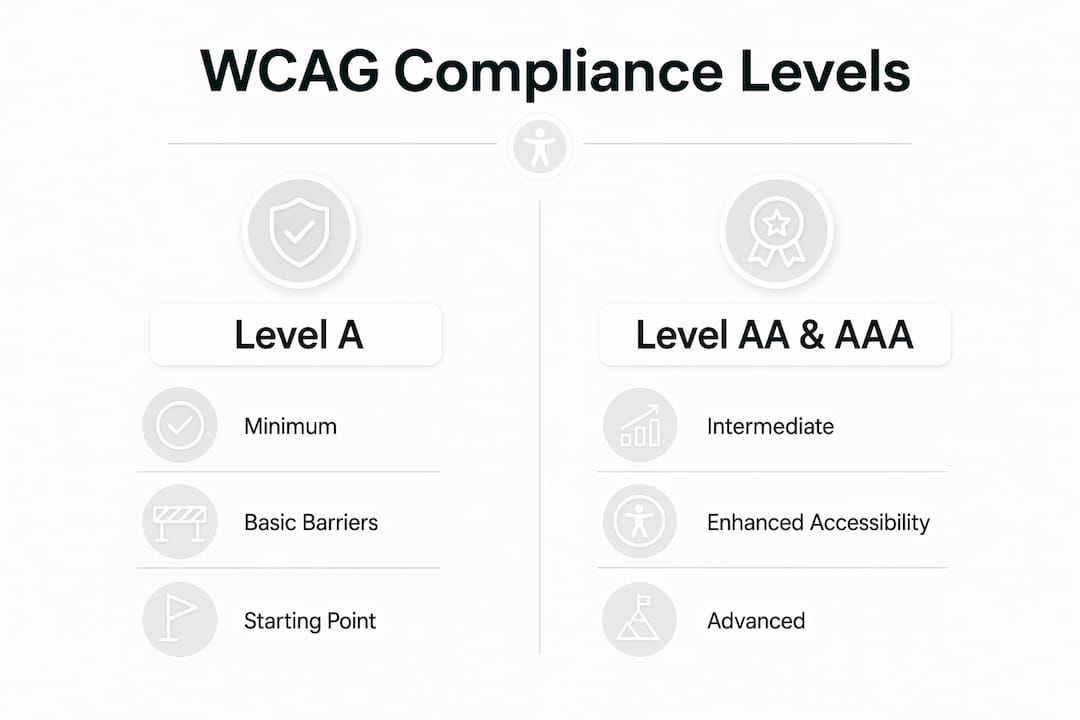
WCAG 2.2 defines three conformance levels that represent increasing degrees of accessibility. Understanding which level applies to your business is one of the most practical aspects of web content accessibility standards.
| Level | Description | Typical use case |
|---|---|---|
| Level A | Minimum baseline requirements | Starting point only; not sufficient for legal compliance in most jurisdictions |
| Level AA | Removes significant barriers for most users | Required by ADA, European Accessibility Act, and most national regulations |
| Level AAA | Highest standard; addresses edge cases | Aspirational; often impractical as a blanket requirement for general websites |
Level A covers the most fundamental barriers, such as providing text alternatives for non-text content and making all functionality keyboard accessible. It is a necessary starting point but not a sufficient one. Level AA builds on this by adding requirements like minimum colour contrast ratios (4.5:1 for normal text), visible focus indicators, and consistent navigation across pages. Experts regard Level AA as the practical target because it balances legal compliance with realistic implementation demands.
Level AAA includes criteria that can genuinely conflict with design or content needs. For example, the requirement for sign language interpretation of all audio content is simply not feasible for most business websites. Pursuing AAA on specific pages or features where it is achievable is worthwhile, but treating it as a blanket standard is not realistic for the majority of organisations.
Pro Tip: When briefing a developer or agency, specify WCAG 2.2 Level AA as your target. This single instruction aligns your project with legal requirements and sets a clear, measurable quality bar.
What new criteria does WCAG 2.2 introduce?
WCAG 2.2, published in October 2023, adds nine new success criteria that address gaps in cognitive and motor accessibility that earlier versions did not adequately cover. These updates reflect how people actually use the web in 2026, particularly on mobile devices and with assistive technology.
The most significant new criteria include:
- Focus not obscured (AA): Keyboard focus indicators must not be completely hidden by sticky headers, cookie banners, or other overlaid elements. This is a common failure on sites with fixed navigation bars.
- Dragging alternatives (AA): Any functionality that requires dragging, such as sliders or sortable lists, must also be operable with a single pointer action. This directly benefits users with limited fine motor control.
- Target size minimum (AA): Interactive elements like buttons and links must be at least 24×24 CSS pixels. Small tap targets are a persistent problem on mobile sites and cause significant friction for users with motor impairments.
- Accessible authentication (AA): Login processes must not rely solely on cognitive function tests, such as puzzles or memorising codes, unless an alternative is provided. Password manager compatibility is now a compliance requirement, not just a convenience.
- Consistent help (A): If a help mechanism such as a chat widget or phone number appears across multiple pages, it must appear in the same location on each page.
These criteria matter beyond compliance. The dragging alternatives and target size requirements directly improve the experience for mobile users and older visitors, two groups that represent a substantial share of most business websites’ traffic. Updating to WCAG 2.2 is not simply a legal exercise. It is a measurable improvement in usability.
How should businesses approach accessibility testing and implementation?
Automated accessibility testing can detect only around 30 to 40 per cent of accessibility issues. This figure surprises many developers who rely on tools like Axe, Lighthouse, or WAVE as their primary compliance check. Automation is a useful first pass, but it cannot replicate the experience of a user navigating with a screen reader or keyboard alone.
A thorough testing approach combines three methods:
- Automated scanning: Use tools such as Axe DevTools or Deque’s browser extensions to catch structural errors, missing alt text, and colour contrast failures. Run these scans on every major page template.
- Manual keyboard testing: Navigate your entire site using only the keyboard. Verify that focus order is logical, that all interactive elements are reachable, and that focus indicators are visible at all times. This takes time but reveals failures that no automated tool will flag.
- Assistive technology testing: Test with at least one screen reader, such as NVDA on Windows or VoiceOver on macOS and iOS. Pay particular attention to form labels, error messages, and dynamic content updates. Real users of assistive technology will encounter barriers that sighted testers miss entirely.
Accessibility integrated early in design costs significantly less than retrofitting it later. Remediation at the end of a project can be three to five times more expensive than building accessibly from the start. This is the single strongest business case for treating accessibility as a design principle rather than a QA checklist item.
Pro Tip: Publish an accessibility statement on your website. It demonstrates good faith to users and regulators, and it gives you a documented baseline to improve against. The UK Government’s accessibility statement template is a practical starting point.
What are the most common misconceptions about accessibility compliance?
Several persistent myths lead businesses and developers to invest effort in the wrong areas, leaving real barriers in place. Recognising these pitfalls is as valuable as understanding the standards themselves.
- Automated tools are sufficient. As noted above, automated tools miss the majority of issues. Relying on a single scan and declaring compliance is one of the most common and costly mistakes a business can make.
- Accessibility is only about visual impairments. Cognitive and motor accessibility are frequently overlooked despite being critical to full compliance. The WCAG 2.2 updates specifically address this gap, and conditions like dyslexia, ADHD, and limited dexterity affect a far larger proportion of users than total blindness.
- Accessible design looks plain or clinical. Accessible design does not compromise aesthetics. Sufficient colour contrast, clear typography, and logical layout are characteristics of good design regardless of accessibility requirements. Many visually strong websites are also highly accessible. The two goals reinforce each other when addressed together from the start.
- Accessibility is a one-time project. Content changes, new features, and third-party integrations can all introduce new barriers. Accessibility requires ongoing testing and review, particularly after significant site updates or CMS changes.
The semantic structure and descriptive links required for accessibility also benefit SEO performance directly. Alt text, heading hierarchy, and descriptive anchor text are signals that search engines use to understand and rank content. Accessibility and SEO are not competing priorities. They share the same technical foundations.
Key takeaways
Web accessibility standards, defined by WCAG 2.2 Level AA, are the legal and practical benchmark every business website must meet to serve all users and satisfy regulatory requirements.
| Point | Details |
|---|---|
| WCAG 2.2 is the current standard | Level AA is required by ADA, the European Accessibility Act, and most national frameworks. |
| POUR principles are non-negotiable | Failing any one of Perceivable, Operable, Understandable, or Robust means the site is not accessible. |
| Automated testing has clear limits | Tools like Axe and Lighthouse catch only 30 to 40 per cent of issues; manual and AT testing are essential. |
| Early integration saves money | Building accessibly from the design phase costs three to five times less than retrofitting later. |
| Accessibility strengthens SEO | Semantic markup, alt text, and descriptive links required for WCAG compliance directly support search rankings. |
Accessibility is a business decision, not just a legal one
From working with businesses on their web presence, the pattern I see most often is this: accessibility gets treated as something to address after launch, if at all. The reasoning is usually that the core audience does not include many disabled users, or that the budget is tight and accessibility feels like a nice-to-have. Both assumptions are wrong, and they are expensive to hold.
The usability benefits of accessibility extend well beyond users with permanent disabilities. Ageing populations, mobile users on poor connections, and anyone filling in a form under pressure all benefit from clear labels, logical navigation, and sufficient tap target sizes. When you build for the edges, you improve the experience for everyone in the middle.
The SEO argument is equally concrete. The accessible web design practices that improve screen reader compatibility, such as proper heading structure and descriptive links, are the same practices that help Google understand and rank your content. Accessibility work and SEO work overlap significantly, which means the investment goes further than it first appears.
My honest advice: treat WCAG 2.2 Level AA as your baseline specification, not your stretch goal. Commission an accessibility audit alongside your next redesign rather than after it. The cost difference is substantial, and the business case, combining legal protection, broader reach, and improved search visibility, is straightforward.
— tibor
How Fyldedigital can help you build an accessible website

Fyldedigital builds websites that are designed to meet WCAG 2.2 Level AA from the ground up, not as an afterthought. For small and medium-sized businesses across Blackpool and the Fylde Coast, that means accessible code, clear navigation, and layouts that work for every visitor. If your current site has not been reviewed against current web accessibility guidelines, now is the right time to act, particularly with the European Accessibility Act requirements now in force. Speak to the team about a web design audit or a new build that puts compliance and usability at the centre of the project from day one.
FAQ
What does WCAG stand for and who publishes it?
WCAG stands for Web Content Accessibility Guidelines, published by the World Wide Web Consortium (W3C). The current version is WCAG 2.2, released in October 2023.
Which WCAG level do most businesses need to comply with?
Level AA is the standard required by most legal frameworks, including the ADA and the European Accessibility Act. Level A is insufficient for legal compliance, and Level AAA is generally considered impractical as a blanket requirement.
Can automated tools alone confirm my site is accessible?
No. Automated tools such as Axe or Lighthouse detect only around 30 to 40 per cent of accessibility issues. Full compliance requires manual keyboard testing and testing with assistive technologies like screen readers.
Does making a website accessible affect its visual design?
Accessible design does not mean plain design. Sufficient colour contrast, clear typography, and logical layout are characteristics of strong visual design. Accessibility and good aesthetics share the same foundations when addressed together from the start of a project.
Is accessibility a one-time fix or an ongoing process?
Accessibility is an ongoing process. New content, features, and third-party integrations can introduce barriers at any point. Regular audits, particularly after significant site updates, are the only way to maintain consistent compliance.